


Core 8-Pin Audio Adaptor for iPhone
Core 8-Pin Audio Adaptor for iPhone
Order Code: 31-020
11 in stock
Couldn't load pickup availability

Product Description
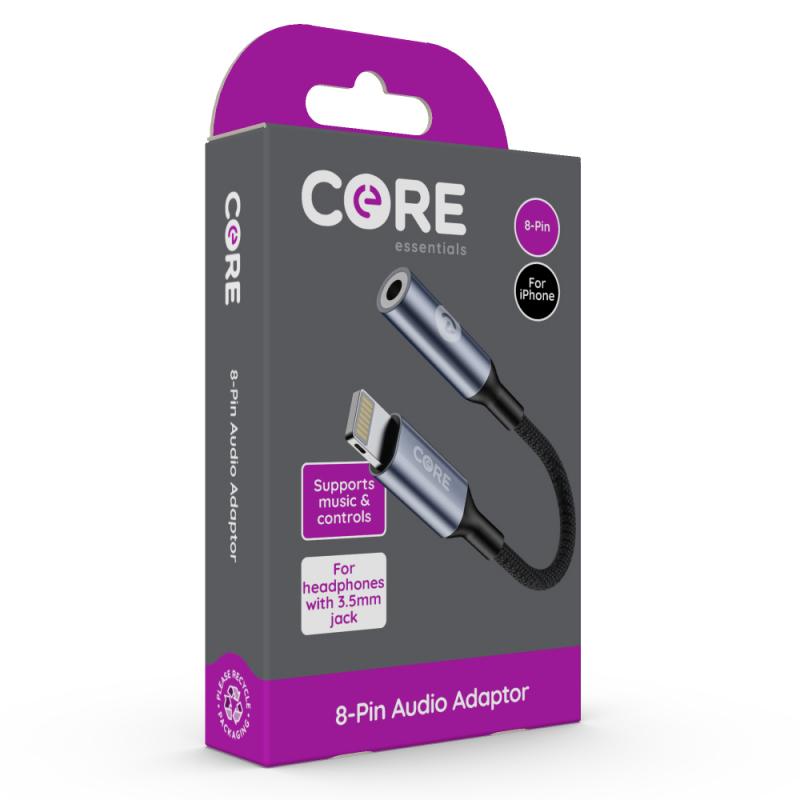
Core 8-Pin Audio Adaptor
Connects wired headphones with a 3.5mm audio jack to your iPhone or iPad
- Supports music and controls
- Double braided nylon cable
- Convenient length 11.5 cm
Specification
- 8-Pin devices
- 3.5mm jack port
- Manage music
- Braided cable
Please Note: On first use connect adaptor via iPhone's Bluetooth - Instructions are below
Set up Instructions
First-time connection
1. Plug in your adaptor - insert the Core 8-Pin Audio Adaptor into your iPhone.
2. Enable Bluetooth - on your iPhone, go to Settings > Bluetooth to switch it on.
3. Pair your adaptor - from the list of available devices, find 'C100' and tap to connect.
4. Ready to use - once connected, your earphones or headphones are ready to plug in to the adaptor.
Automatic reconnection
After the first-time setup, your adaptor will reconnect automatically each time you use it.
1. Plug your adaptor into your iPhone.
2. Wait 1-2 seconds - it will connect automatically.
If connection does not occur automatically, go to Settings > Bluetooth and tap 'C100' to reconnect manually.
Brands we provide
























- Choosing a selection results in a full page refresh.
- Opens in a new window.